The dashboard for management
In this chapter
- Open the study dashboard and find the result of each endpoint of the protocol.
- Tell a result of the SAP from an exploratory finding on the dashboard.
- Read the gate that checks every number before the dashboard is shown.
- Time
- 20 minutes
- At the end you have
- the study dashboard of the pilot, checked: 12 pages, 18,392 numbers, each one equal to the ARD.
19.1 The idea: one place for the people who decide
Section titled “19.1 The idea: one place for the people who decide”A clinical study report takes months. Management, the medical team and the project lead need the result earlier, and in a form they can explore: by sex, by age group, by site. The risk of a dashboard is that its numbers drift from the tables: a filter computed differently, a rounding, an old data cut. Then two numbers for the same thing circulate.
The study dashboard of Sapling reads its numbers from the ARD, the same numbers as the tables. Before it is shown, its gate reads every number on every page and compares it with the ARD. One number different, and the gate fails.
19.2 Make it, and check it
Section titled “19.2 Make it, and check it”$ sapling dashboard --check --no-browser the configuration: the omakase default (out/dashboard/addendum.md) contract: CONTRACT 12 pages (RESULT: CLEAN) 10 dashboard: 12 pages, 18392 numbers equal to the ARD: DASHBOARD PASSdashboard DASHBOARD PASS (55.0 s)The gate opened every page of the dashboard in a browser and compared what is on screen with the ARD: 12 pages, 18,392
numbers, all equal. Open the dashboard yourself with sapling dashboard: it starts on a free port and opens in your
browser.
19.3 The pages
Section titled “19.3 The pages”The first page answers the first question of a manager: what did the protocol ask, and where is the answer?
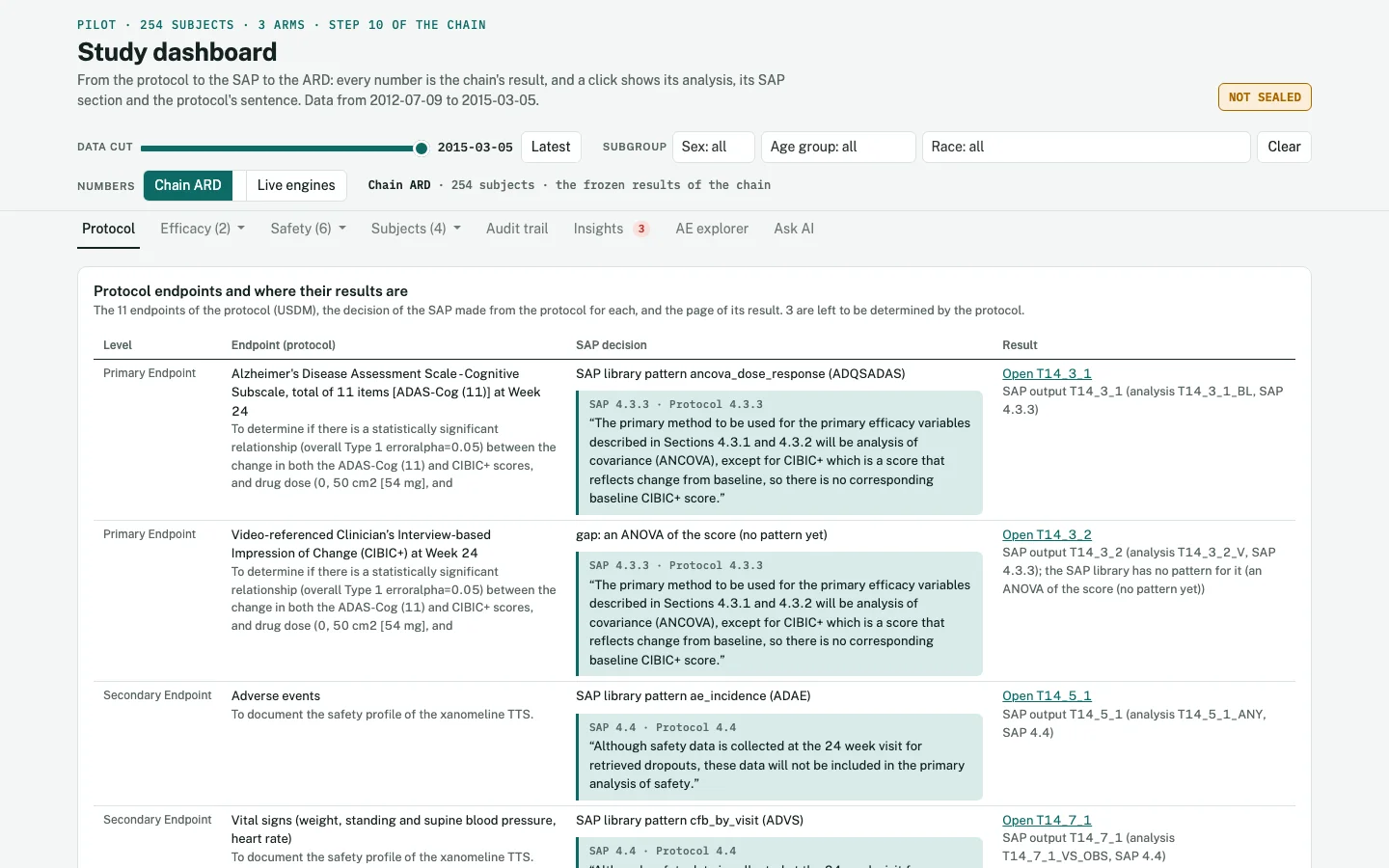
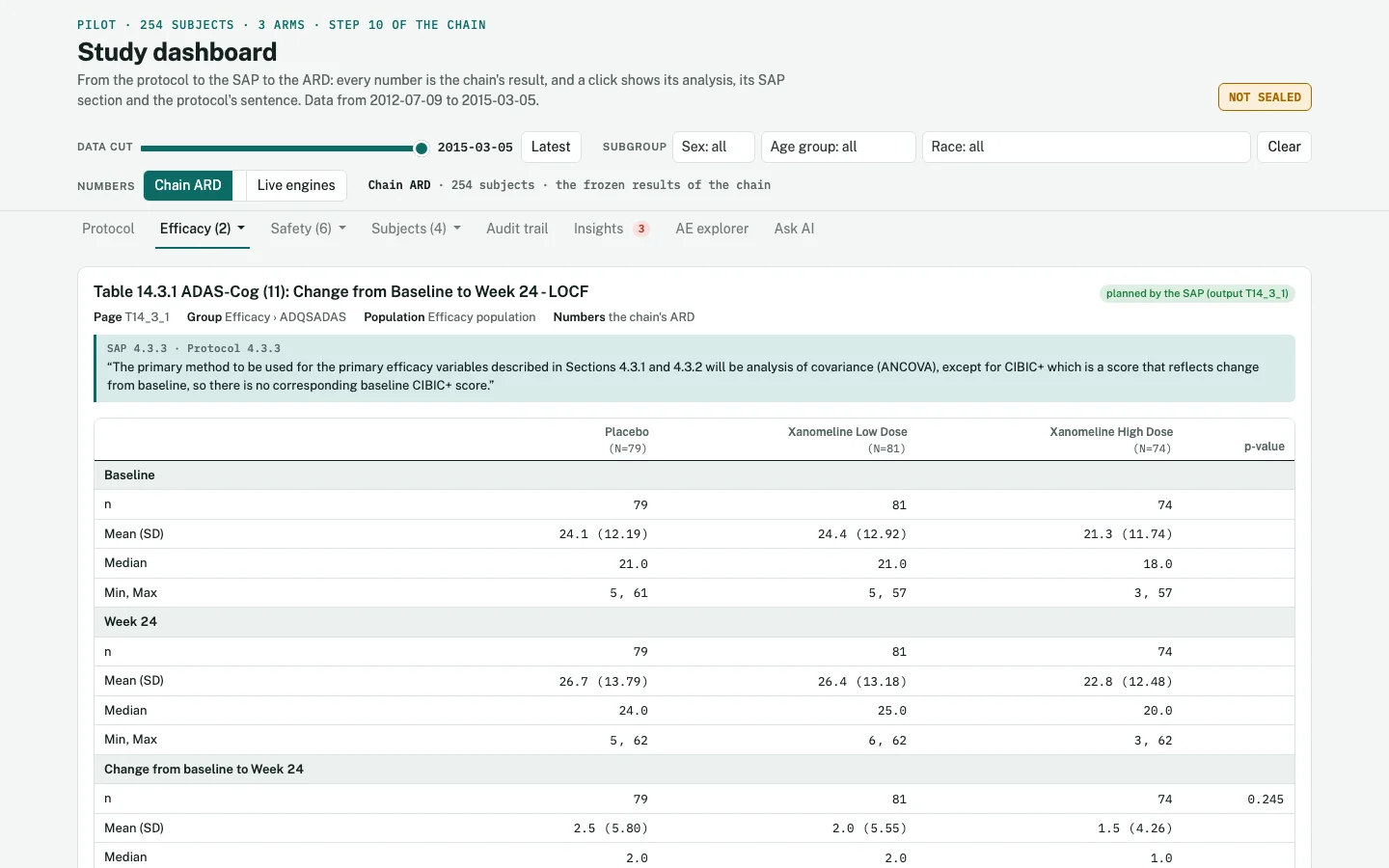
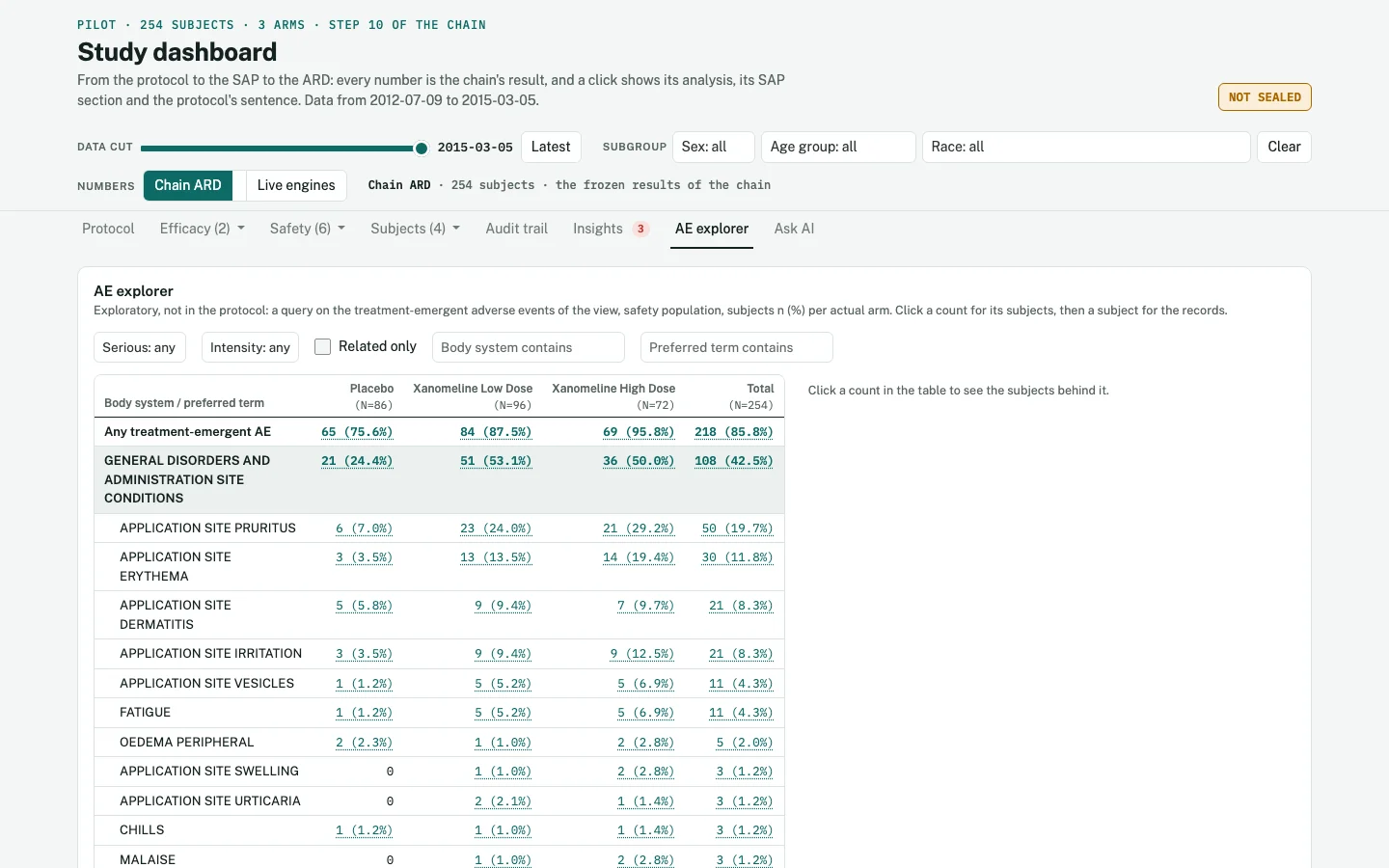
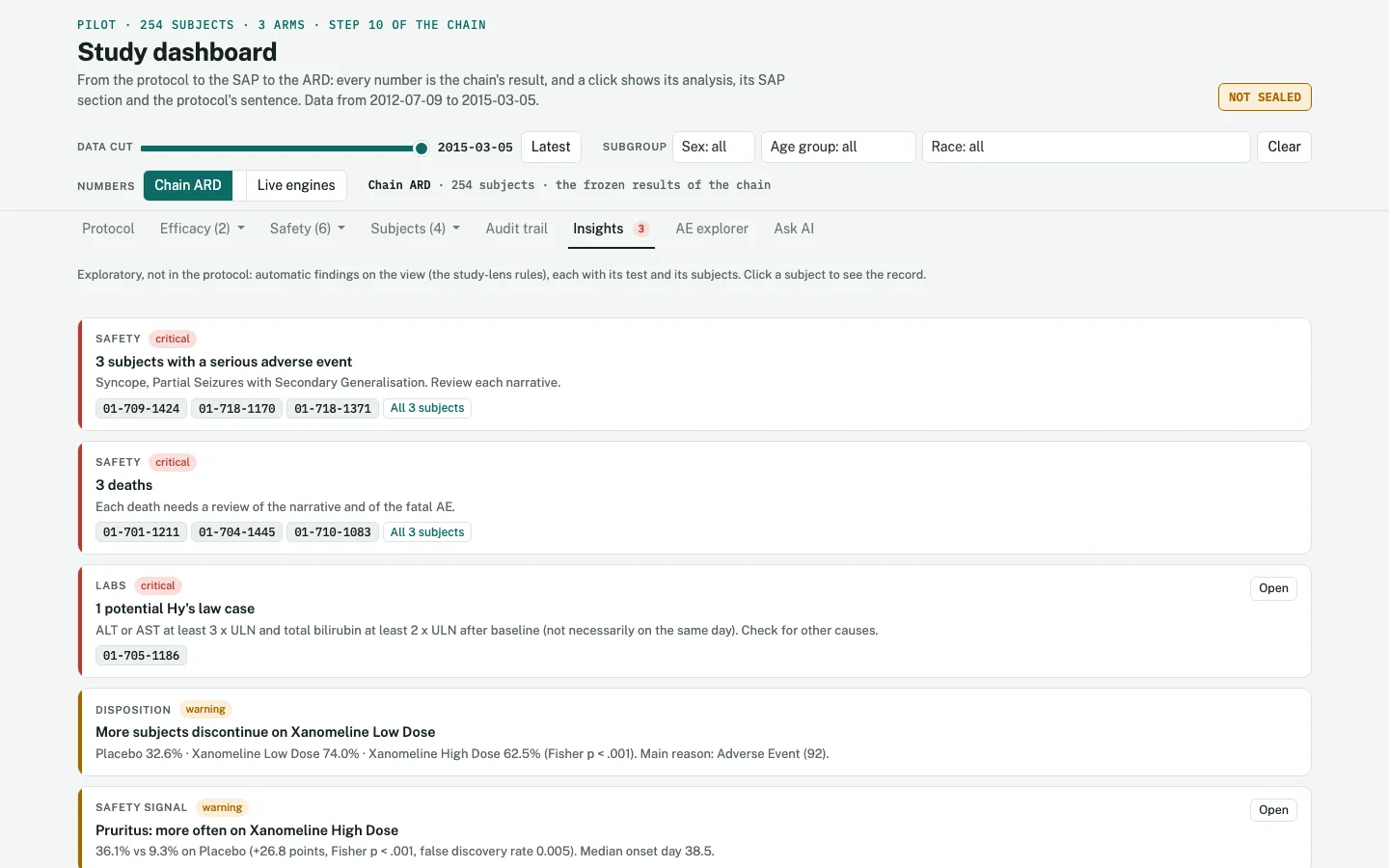
The badge NOT SEALED at the top says that this run has no entry in the ledger of the study. A study that uses the ledger seals each refresh of the results, each input and product with its SHA-256, and the audit trail page shows it. The book’s run does not use the ledger.
Your turn 19.1 Read the gate's report
The gate writes its report to out/dashboard/output/dashboard_check.txt. How does it compare the numbers, and on which
pages?
Show the answer
app: apps/dashboard on port 3102 (a free port of 3100-3199), the study's outputapp log: 14 lines, 0 error(s)timing: the app answered 2.3 s after its R process started (the cache: used); the first page in a new browser tab 0.6 s; a page of the ARD view: slowest 0.5 s (T14_1_1), median 0.3 sgroups: 12 pages in 3 menus of the addendum (Efficacy 2, Safety 6, Subjects 4), 0 page(s) of their own1 ARD T14_1_1: 36 of 36 numbers on screen equal to the ARD1 ARD T14_1_2: 92 of 92 numbers on screen equal to the ARD1 ARD T14_2_1: 113 of 113 numbers on screen equal to the ARD1 ARD T14_3_1: 58 of 58 numbers on screen equal to the ARD1 ARD T14_3_2: 22 of 22 numbers on screen equal to the ARD1 ARD T14_4_1: 57 of 57 numbers on screen equal to the ARD1 ARD T14_5_1: 33 of 33 numbers on screen equal to the ARD1 ARD T14_5_2: 2303 of 2303 numbers on screen equal to the ARD...It starts the dashboard app on a free port, reads its log, and then compares, page by page, the numbers on screen with the ARD: for example 58 of 58 for Table 14.3.1 and 2303 of 2303 for Table 14.5.2. The full report ends with all 12 pages and the verdict DASHBOARD PASS.
What you learned
- The dashboard reads its numbers from the ARD, the same numbers as the tables.
- Its gate compares every number on every page with the ARD: 18,392 numbers on 12 pages.
- Planned results and exploration are on one screen, and marked apart.
Next: 20 · Four final products →
Found an error or have a question? Write to datastep.studio@gmail.com· The plan is written in Sapling; every R program runs in DataStep Studio for R.
Data: the CDISC pilot study (cdiscpilot01). The protocol as CDISC USDM from the CDISC 360i project (MIT licence); the SDTM data from the PhUSE scripts repository (MIT licence). Public example data: no real patient.
R is a project of the R Foundation. SAS is a registered trademark of SAS Institute Inc. CDISC, SDTM, ADaM and USDM are trademarks of the Clinical Data Interchange Standards Consortium. Claude is a trademark of Anthropic. This book is not affiliated with or endorsed by any of them.
© 2026 DataStep Labs. All rights reserved.